Showing posts with label Camunda. Show all posts

3/06/2022

Learning Camunda/Zeebe by Example - SAGA Pattern


Purpose of this blogpost is to explain how to use Zeebe/Camunda to implement SAGA pattern with Microservices.

This is the next episode of previous blogpost

To setup Zeebe cluster in Kubernetes, you have to follow same steps in previous blogpost.

Also I have made a slight different to docker-compose.yml files, to run it in host network.
Please refer this git commit for for details : 


Now let's build the project with maven command : mvn clean install

https://github.com/dhanuka84/SAGA-Microservices-Zeebe/tree/main/src/zeebe-saga-spring-boot


Then Build the docker images with maven spring-boot plugin:

mvn spring-boot:build-image


  • To deploy Zeebe cluster, you have to go through same steps given in previous post.

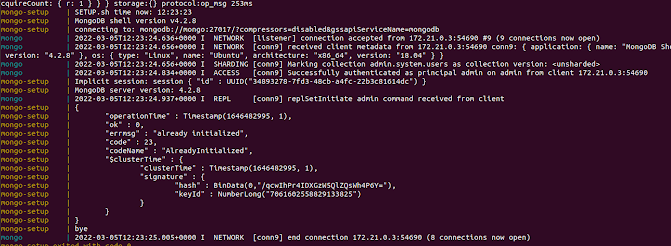
Deploy MongoDB Cluster

MONGO_REPLICASET_HOST=mongo docker-compose -f src/zeebe-saga-spring-boot/docker/docker-compose-mongo.yaml up


Deploy Microservices

docker-compose  -f src/zeebe-saga-spring-boot/docker/docker-compose-micros.yaml up


Test Microservices Health with Actuator ( status, liveness, readiness)


dhanuka@dhanuka:~$ curl http://localhost:8081/actuator/health | jq '. | {status: .status, liveness: .components.livenessState.status, readiness: .components.readinessState.status,}'   


  % Total    % Received % Xferd  Average Speed   Time    Time     Time  Current

                                 Dload  Upload   Total   Spent    Left  Speed

100   352  100   352    0     0    592      0 --:--:-- --:--:-- --:--:--   593

{

  "status": "UP",

  "liveness": "UP",

  "readiness": "UP"

}


dhanuka@dhanuka:~$ curl http://localhost:8083/actuator/health | jq '. | {status: .status, liveness: .components.livenessState.status, readiness: .components.readinessState.status,}'   


  % Total    % Received % Xferd  Average Speed   Time    Time     Time  Current

                                 Dload  Upload   Total   Spent    Left  Speed

100   352  100   352    0     0    824      0 --:--:-- --:--:-- --:--:--   822

{

  "status": "UP",

  "liveness": "UP",

  "readiness": "UP"

}


dhanuka@dhanuka:~$ curl http://localhost:8084/actuator/health | jq '. | {status: .status, liveness: .components.livenessState.status, readiness: .components.readinessState.status,}'   


  % Total    % Received % Xferd  Average Speed   Time    Time     Time  Current

                                 Dload  Upload   Total   Spent    Left  Speed

100   352  100   352    0     0    675      0 --:--:-- --:--:-- --:--:--   675

{

  "status": "UP",

  "liveness": "UP",

  "readiness": "UP"

}


dhanuka@dhanuka:~$ curl http://localhost:8082/actuator/health | jq '. | {status: .status, liveness: .components.livenessState.status, readiness: .components.readinessState.status,}'   


  % Total    % Received % Xferd  Average Speed   Time    Time     Time  Current

                                 Dload  Upload   Total   Spent    Left  Speed

100   352  100   352    0     0    820      0 --:--:-- --:--:-- --:--:--   822

{

  "status": "UP",

  "liveness": "UP",

  "readiness": "UP"

}


Deploy Zeebe BPMN Process


dhanuka@dhanuka:~$ zbctl deploy workflows/saga-example.bpmn --insecure

{

  "key": "2251799813703663",

  "processes": [

    {

      "bpmnProcessId": "trip-booking",

      "version": 1,

      "processDefinitionKey": "2251799813703662",

      "resourceName": "workflows/saga-example.bpmn"

    }

  ]

}


Create a booking via Rest Call to Booking Microservice


dhanuka@dhanuka:~$ curl --location --request POST 'http://localhost:8081/booking/' \

--header 'Content-Type: application/json' \

--data-raw '{

    "id" : "0",

    "clientId":"123",

    "resourceId":"987",

    "fromDate":"2021-02-22T14:52:44.494264+01:00",

    "toDate":"2021-03-06T14:52:44.495451+01:00",

    "createdAt":"2021-02-10T14:52:44.495469+01:00",

    "active":false

}'


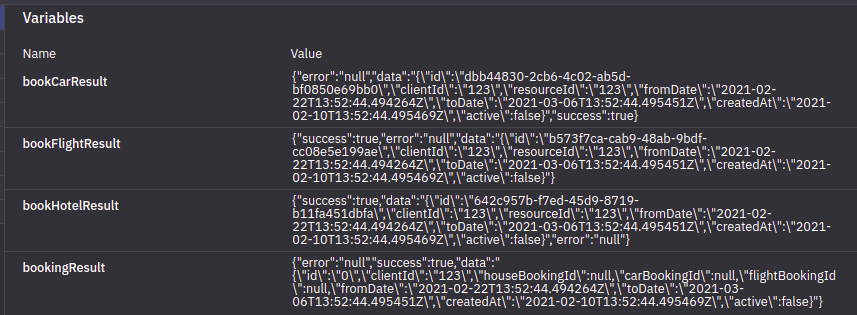
{"id":"0","clientId":"123","houseBookingId":"642c957b-f7ed-45d9-8719-b11fa451dbfa","carBookingId":"dbb44830-2cb6-4c02-ab5d-bf0850e69bb0","flightBookingId":"b573f7ca-cab9-48ab-9bdf-cc08e5e199ae","fromDate":"2021-02-22T13:52:44.494264Z","toDate":"2021-03-06T13:52:44.495451Z","createdAt":"2021-02-10T13:52:44.495469Z","active":false}

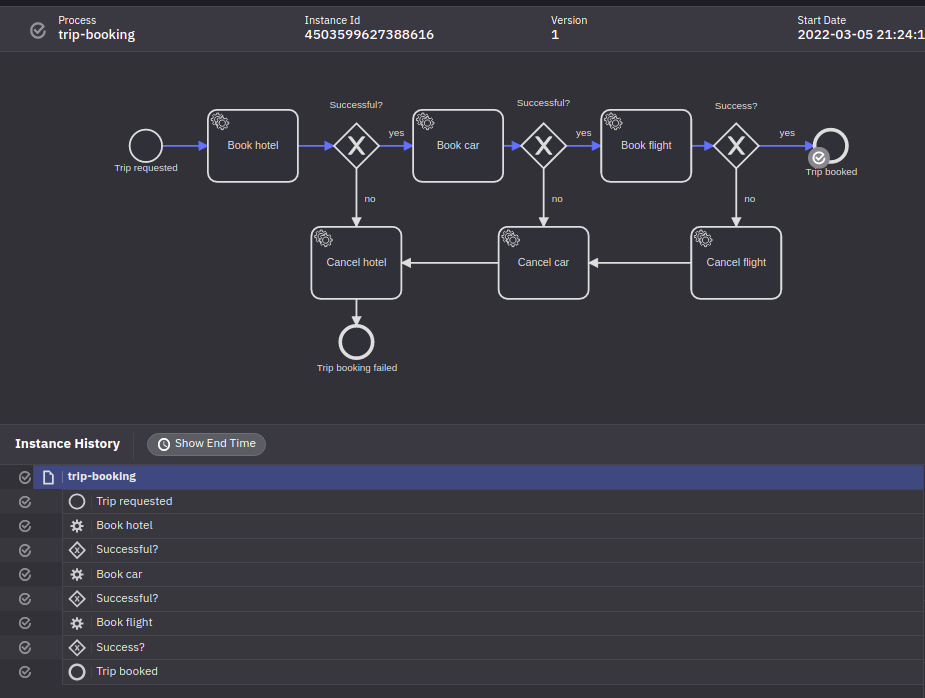
  •  Once you login to Zeebe dashboard via http://localhost:8080/ , you can select the process id (trip-booking) and then version, then you can select the process instance
  • Then you can see the happy path of the work flow.


Java Code Explanation
 

1. Where is Zeebee Process Instance Created?
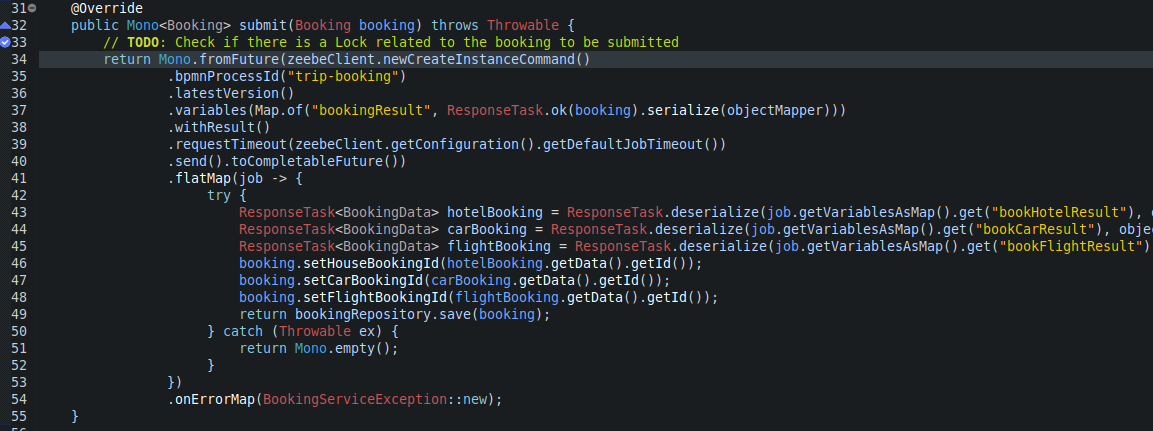
https://github.com/dhanuka84/SAGA-Microservices-Zeebe/blob/main/src/zeebe-saga-spring-boot/booking-microservice/src/main/java/com/example/booking/service/impl/BookingServiceImpl.java


  • As you can see, the instance was created in line 34.

Key Points:

  1. Line 34 : Spring WebFlux, which provides reactive programming support for web applications

https://www.baeldung.com/spring-webflux

  1. Line 37: Creating a variable called bookingResult with Booking data.

  2. Line 40: Usage of Completable Futures.

https://www.callicoder.com/java-8-completablefuture-tutorial/#:~:text=Future%20vs%20CompletableFuture,result%20of%20an%20asynchronous%20computation.

  1. Line 49: Save the Trip Booking entity when received hotel booking id, car booking id and flight booking id.

  2. So all the operations within and outside the microservice will be asynchronous and reactive.


2. Zeebee Task polling/requesting for jobs, then execute and response back to broker.

  • Let’s take Hotel Booking as an example.
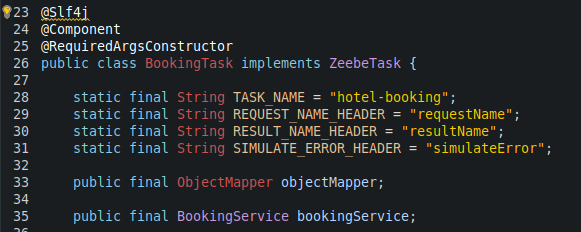
https://github.com/dhanuka84/SAGA-Microservices-Zeebe/blob/main/src/zeebe-saga-spring-boot/hotel-microservice/src/main/java/com/example/hotel/task/BookingTask.java


Key Points:

  1. Line 41,42,43 : Access job data. 

  2. Line 45 : Validate the job based on headers

  3. Line 50: Access Booking Info, based on requestName (bookingResult) variable value, which was created when process instance creation.

  4. Line 64: Create Hotel Booking and reactively update Zeebe with response.

  • Note that now the resultName variable value of response is bookHotelResult.

Failure Path Testing

  • You have to change the BPMN configuration to enable simulateError as below.


Deploy workflow process next version 

dhanuka@dhanuka:~$ zbctl deploy workflows/saga-example.bpmn --insecure

{

  "key": "2251799813703663",

  "processes": [

    {

      "bpmnProcessId": "trip-booking",

      "version": 2,

      "processDefinitionKey": "2251799813703662",

      "resourceName": "workflows/saga-example.bpmn"

    }

  ]

}


Create a booking via Rest Call to Booking Microservice


dhanuka@dhanuka:~$ curl --location --request POST 'http://localhost:8081/booking/' \

--header 'Content-Type: application/json' \

--data-raw '{

    "id" : "0",

    "clientId":"123",

    "resourceId":"987",

    "fromDate":"2021-02-22T14:52:44.494264+01:00",

    "toDate":"2021-03-06T14:52:44.495451+01:00",

    "createdAt":"2021-02-10T14:52:44.495469+01:00",

    "active":false

}'


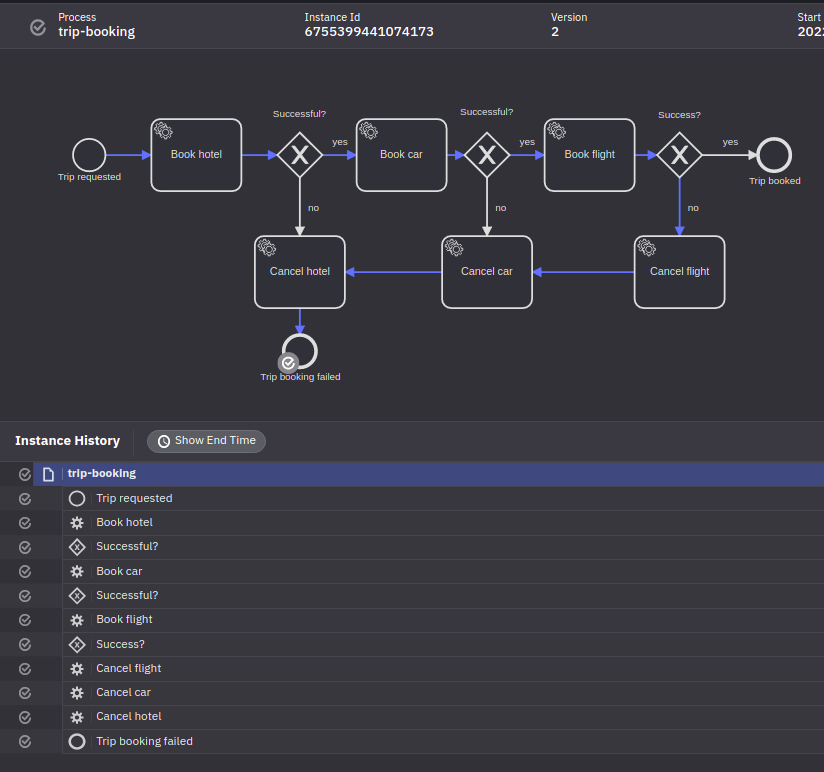
  • Now you can see the failure path of the workflow 
  • We failed the work flow from Flight Booking task.
  • The failure will be propagated to other tasks which is polling on same instance_id .


Failure Path Java Explanation 


Key Points


1. We have a separate Zeebe task (ex: flight-booking-rollback) to handle failure scenario. This task simply delete relevant booking.

2. Line 45: If the SimulateError true, then this will trigger Failed response to Zeebe.


3. Now according tho BPMN workflow , if BookingFlight Result is not success, then it will call ServiceTask_CancelFlight as target reference.


As you can see ServiceTask_CancelFlight task definition is flight-booking-rollback .


Because of this, there will be a job to execute for flight-booking-rollback  task in Java Class.

4. Now how come this propagate to other Microservices?


In the BPMN configuration , you can see the chain of call from ServiceTask_CancelFlight to ServiceTask_CancelCar and ServiceTask_CancelHotel.

This will helped to create rollback jobs for other Microservices rollback tasks.


Some inspirational videos :)


2/05/2022

Learning Camunda/Zeebe by Example - BPMN


The purpose of this blog post is to learn Camunda BPMN by example workflow.

We have used the same example which is described in below github repository.


Installing Zeebe

  • We are using community version of Zeebe and related Helm charts. You can find the Helm charts below.

GitHub - camunda-community-hub/camunda-cloud-helm: Contains all camunda cloud related helm charts

  • Also we are using minikube as Kubernetes cluster.
  • Please note that I am using Ubuntu 18.04 


1. Install Helm 3

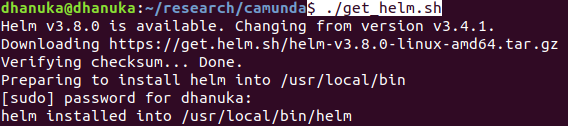
$ curl -fsSL -o get_helm.sh https://raw.githubusercontent.com/helm/helm/main/scripts/get-helm-3

$ chmod 700 get_helm.sh

$ ./get_helm.sh


2.  Add Camunda Helm repository

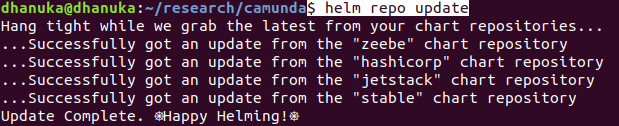
$ helm repo add zeebe https://helm.camunda.io


$ helm repo update


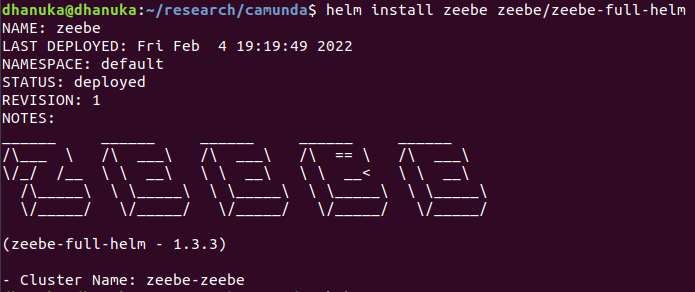
$ helm install zeebe zeebe/zeebe-full-helm


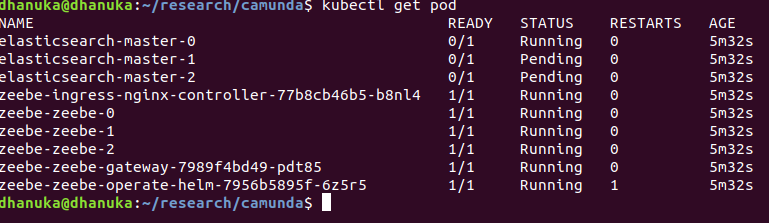
  • You can see that Elasticsearch pods are still in pending state


3. Troubleshooting Elasticsearch Installation

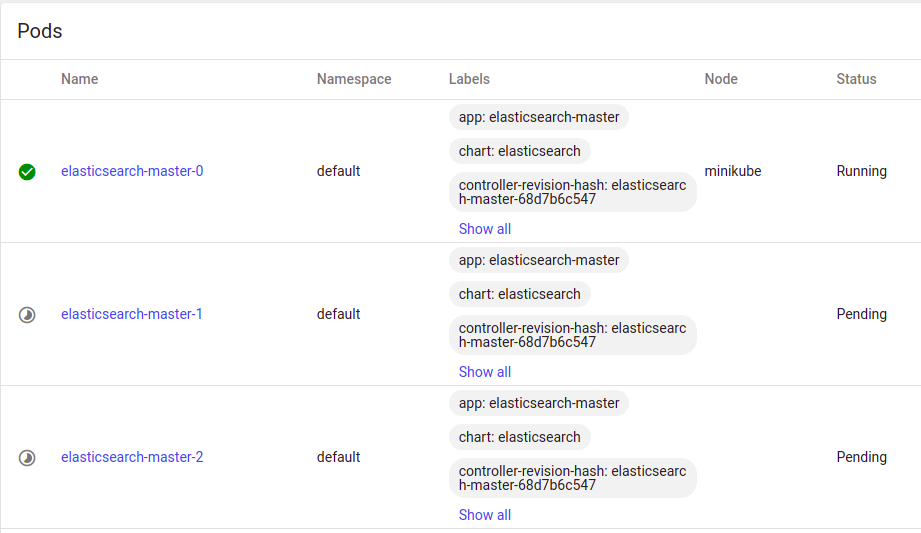
As you can see that , two Elasticsearch pods still in pending status.

  • According to below pods events says, "1 Node didn't match pod affinity"


  • When we check the pod affinity of the statefulset, we can't deploy all the Elasticsearch instances in the same host machine

   spec:
        affinity:
          podAntiAffinity:
            requiredDuringSchedulingIgnoredDuringExecution:
            - labelSelector:
                matchExpressions:
                - key: app
                  operator: In
                  values:
                  - elasticsearch-master
              topologyKey: kubernetes.io/hostname 


  • Please check below document for further details

https://kubernetes.io/docs/concepts/scheduling-eviction/assign-pod-node/

Never co-located in the same node

The above example uses PodAntiAffinity rule with topologyKey: "kubernetes.io/hostname" to deploy the redis cluster so that no two instances are located on the same host. See ZooKeeper tutorial for an example of a StatefulSet configured with anti-affinity for high availability, using the same technique.


  • The quickest solution is to change k8s elasticsearch-master statefulset . 


$ kubectl edit statefulset elasticsearch-master

  • We gonna make this a single Elasticsearch cluster by editing he configuration.
  • We have to remove cluster.initial_master_nodes environment variable configuration
  • Also add discovery.type as an environment variable.

#- name: cluster.initial_master_nodes

 #             value: 'elasticsearch-master-0,'

- name: discovery.type

              value: single-node


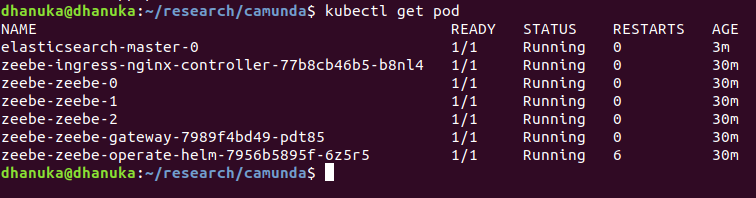
  • After editing, we can see single node Elasticsearch cluster.


4. Port forwarding ingress-controller, zeebe-gateway and elasticsearch


kubectl port-forward  svc/zeebe-ingress-nginx-controller 8080:80

kubectl port-forward  svc/zeebe-zeebe-gateway  26500:26500

kubectl port-forward svc/elasticsearch-master 9200:9200


Camunda Operate

1. You can login to Camunda Operate using below link

http://localhost:8080/

user_name: demo
password: demo


2. Installing Zeebe client

Download the client from below location

https://github.com/camunda-cloud/zeebe/releases

$ sudo mv zbctl /usr/local/bin/zbctl

Check the Zeebe cluster

$ zbctl status --insecure


Camunda Modeler

1. Download below version  and extract it.
https://downloads.camunda.cloud/release/camunda-modeler/4.8.1/

2. Then execute the startup script as below

camunda-modeler-4.8.1-linux-x64$ ./camunda-modeler

3. Clone the github repository

https://github.com/dhanuka84/SAGA-Microservices-Zeebe.git

$ cd SAGA-Microservices-Zeebe

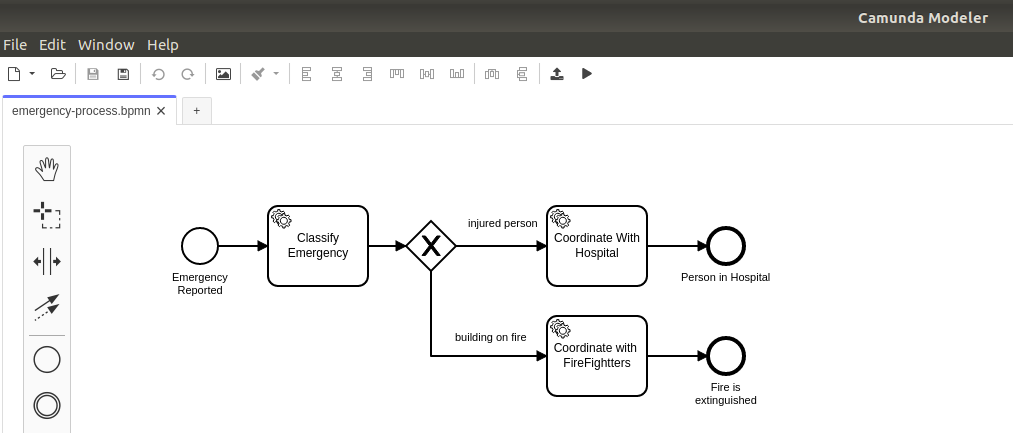
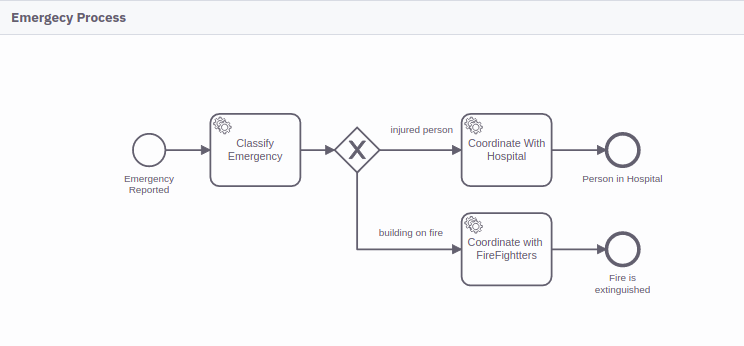
4. Open the emergency-process.bpmn BPMN  workflow configuration


Deploying a BPMN Workflow Process

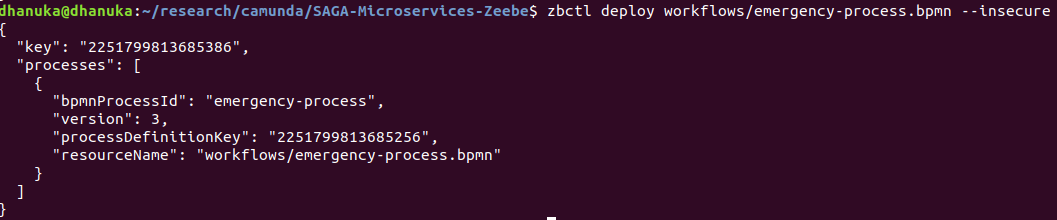
$ zbctl deploy workflows/emergency-process.bpmn --insecure


  • We can use Zeebe client as above to deploy a BPMN process.
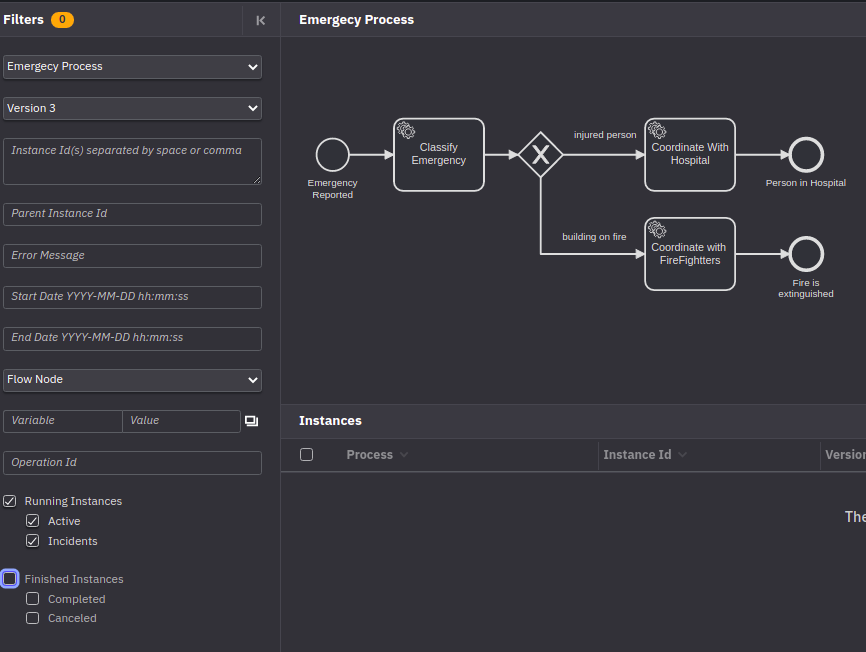
  • Once deployed we can login to Camunda Operate and see check the Emergency Process that we have deployed.


Deploy BPMN Instance

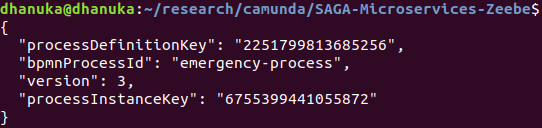
We can deploy the sample instances as below

$ zbctl create instance emergency-process --variables "{\"emergencyReason\" : \"person\"}" --insecure

$ zbctl create instance emergency-process --variables "{\"emergencyReason\" : \"building on fire\"}" --insecure

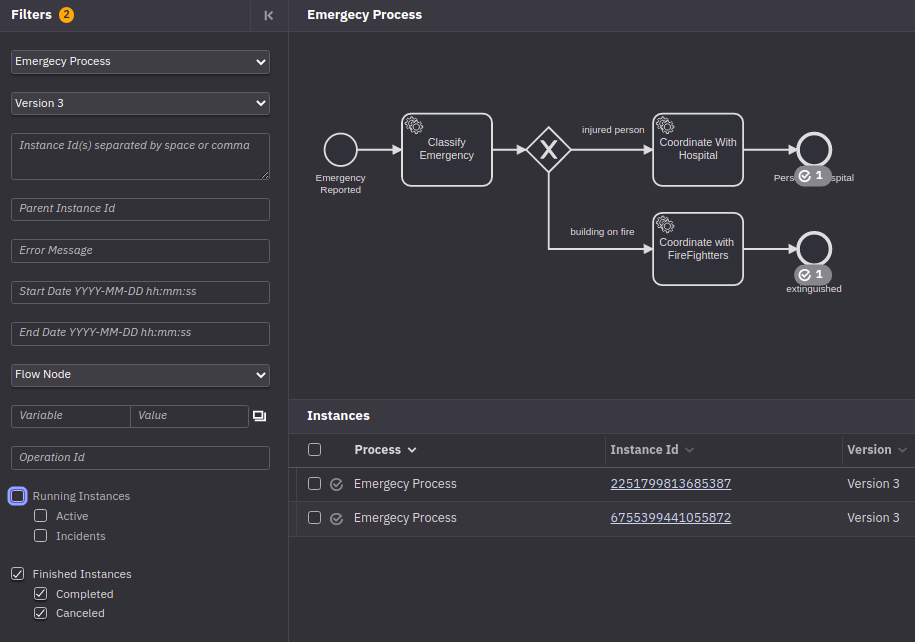
  • Operate view

  • Two instances created for both person and building on fire.
  • At this point, you will see that they are both stuck at the Classify Emergency task. This is because you don't have workers for such tasks, so the process will wait in that state until we provide one of these workers.


Starting a simple Spring Boot Zeebe Worker


cd  src/zeebe-worker-spring-boot/

mvn clean package

mvn spring-boot:run


  • The worker is configured by default to connect to localhost:26500 to fetch Jobs. If everything is up and running the worker will start and connect, automatically completing the pending tasks in our Workflow Instances.
  • You can see the completed events.
  • Once tasks are completed , there wont be any active instances.


Understanding the BPMN workflow.


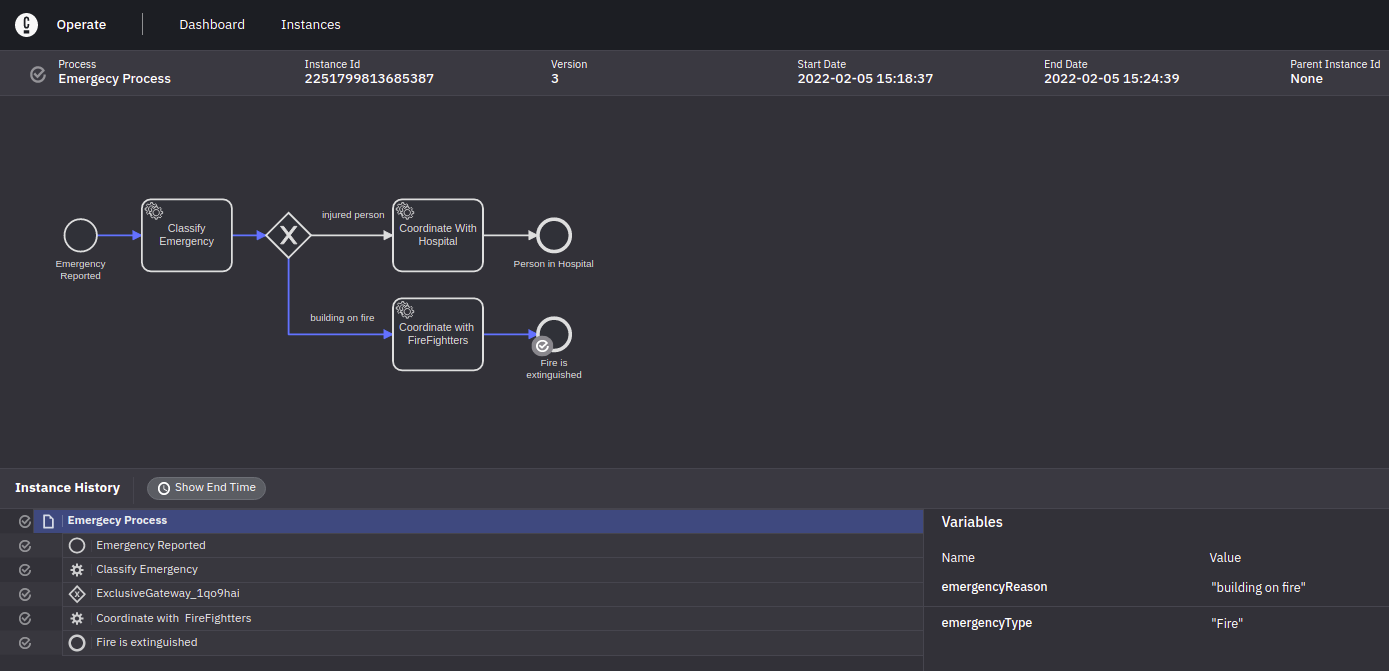
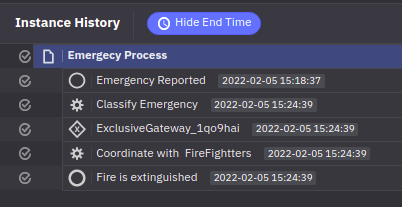
  • In the Camunda Operate, once you click one of a instance id, it will navigate to Instance History view.


1. Start Event
2. Sequence Flow
3. Service Task
4. Exclusive Gateway
5. End Event


<bpmn:startEvent id="StartEvent_1" name="Emergency Reported">

     <bpmn:outgoing>SequenceFlow_1kfpnnj</bpmn:outgoing>

</bpmn:startEvent>


<bpmn:sequenceFlow id="SequenceFlow_1kfpnnj" sourceRef="StartEvent_1" targetRef="ServiceTask_0qrwam7" />


<bpmn:serviceTask id="ServiceTask_0qrwam7" name="Classify Emergency">

     <bpmn:extensionElements>

       <zeebe:taskDefinition type="classify" />

       <zeebe:taskHeaders>

         <zeebe:header />

       </zeebe:taskHeaders>

     </bpmn:extensionElements>

     <bpmn:incoming>SequenceFlow_1kfpnnj</bpmn:incoming>

     <bpmn:outgoing>SequenceFlow_18oq9dv</bpmn:outgoing>

   </bpmn:serviceTask>


  • Now once we created the workflow instance, it's stuck on Classify Emergency task, till worker complete it.
  • In the Spring Boot DemoApplication.java class, you can see, worker complete the job when the type="classify" 

@ZeebeWorker(type = "classify")
public void classifyEmergency(final JobClient client, final ActivatedJob job) {
logJob(job);
if (job.getVariablesAsMap().get("emergencyReason") == null) { // default to ambulance if no reason is provided
client.newCompleteCommand(job.getKey()).variables("{\"emergencyType\": \"Injured\"}").send().join();
}else if (job.getVariablesAsMap().get("emergencyReason").toString().contains("person")) {
client.newCompleteCommand(job.getKey()).variables("{\"emergencyType\": \"Injured\"}").send().join();
} else if (job.getVariablesAsMap().get("emergencyReason").toString().contains("fire")) {
client.newCompleteCommand(job.getKey()).variables("{\"emergencyType\": \"Fire\"}").send().join();
}
}

  • This will activate the name="building on fire" sourceRef=" sequence flow.

<bpmn:sequenceFlow id="SequenceFlow_18oq9dv" sourceRef="ServiceTask_0qrwam7" targetRef="ExclusiveGateway_1qo9hai" />


<bpmn:exclusiveGateway id="ExclusiveGateway_1qo9hai">

     <bpmn:incoming>SequenceFlow_18oq9dv</bpmn:incoming>

     <bpmn:outgoing>SequenceFlow_113qjg3</bpmn:outgoing>

     <bpmn:outgoing>SequenceFlow_0dlz63c</bpmn:outgoing>

</bpmn:exclusiveGateway>


<bpmn:sequenceFlow id="SequenceFlow_0dlz63c" name="building on fire" sourceRef="ExclusiveGateway_1qo9hai" targetRef="ServiceTask_0w2zgz6">

     <bpmn:conditionExpression xsi:type="bpmn:tFormalExpression">= emergencyType = "Fire"</bpmn:conditionExpression>

   </bpmn:sequenceFlow>


  • Then again work flow will stuck on "Coordinate with FireFighters" service task.
  • Spring Boot application will create a worker and it will complete the task

@ZeebeWorker(type = "firefighters")
public void handleFirefighterCoordination(final JobClient client, final ActivatedJob job) {
logJob(job);
client.newCompleteCommand(job.getKey()).send().join();
}

  • Finally flow will completed and it will end at endEvent

<bpmn:serviceTask id="ServiceTask_0w2zgz6" name="Coordinate with  FireFightters">

     <bpmn:extensionElements>

       <zeebe:taskDefinition type="firefighters" />

     </bpmn:extensionElements>

     <bpmn:incoming>SequenceFlow_0dlz63c</bpmn:incoming>

     <bpmn:outgoing>SequenceFlow_0nybe3i</bpmn:outgoing>

</bpmn:serviceTask>


<bpmn:sequenceFlow id="SequenceFlow_0nybe3i" sourceRef="ServiceTask_0w2zgz6" targetRef="EndEvent_1r97jjl" />


<bpmn:endEvent id="EndEvent_1r97jjl" name="Fire is extinguished">

     <bpmn:incoming>SequenceFlow_0nybe3i</bpmn:incoming>

</bpmn:endEvent>


Elasticsearch Indices


You can see the indices are created by Camunda to export data into Elasticsearch.


References: