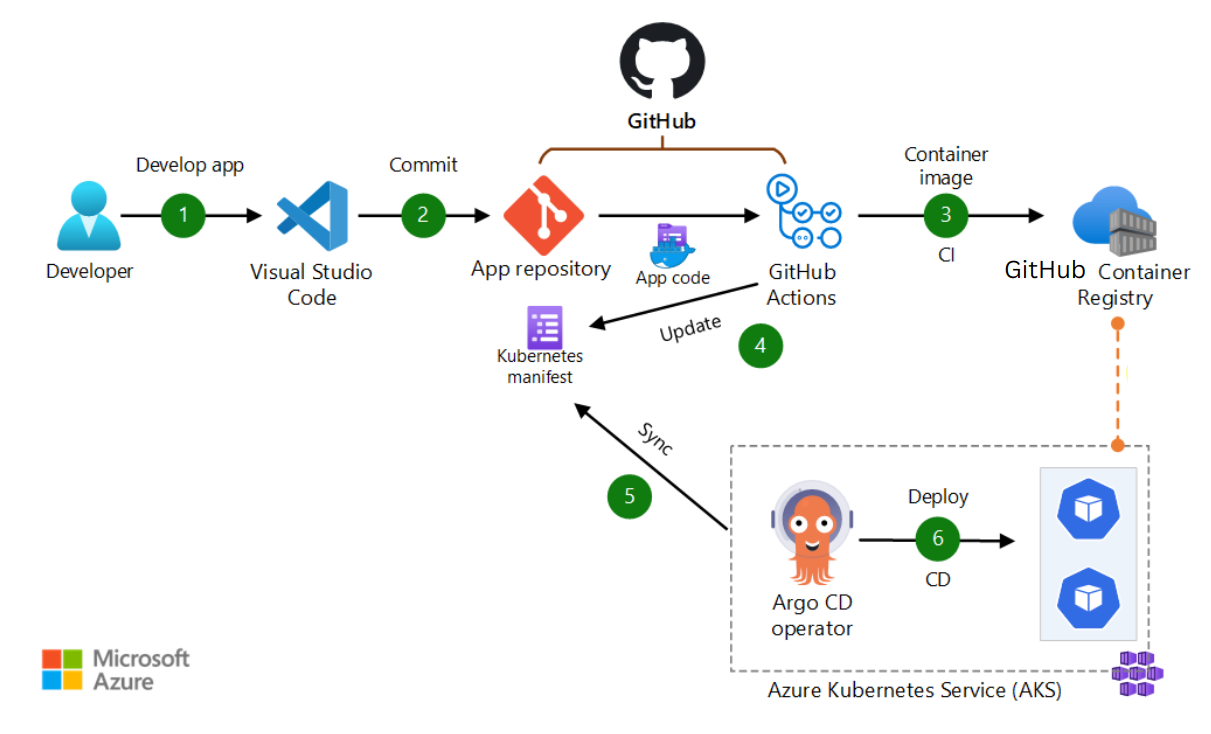
The purpose of this blog post is to explain how to create CI pipeline with GitHub Action and use GitHub Container Registry to publish docker images. Finally we will use ArgoCD for the CD pipeline with Azure AKS cluster.
Note that we have used private GitHub Repositories and Container Registry in this case.
Also please go through this previous blog post to create an AKS cluster.
Here we are using an open source microservice architecture based application called sock-shop.
Prerequisites
Create a GitHub organization; in my case it’s dhanuka-cicd-training .
Creating a new organization from scratch - GitHub Enterprise Server 3.4 Docs
AKS cluster with access permission
Install ArgoCD CLI tool
https://argo-cd.readthedocs.io/en/stable/cli_installation/
Create below two repositories under your organization
https://github.com/dhanuka-cicd-training/multi-cloud-shipping
https://github.com/dhanuka-cicd-training/multi-cloud-shipping-deployment
Create a Container Registry for the organization and apply settings as below.
echo $CR_PAT | docker login ghcr.io -u dhanuka84 --password-stdin
> Login Succeeded
docker push ghcr.io/ORGANIZATION/weaveworksdemos/shipping:0.3.0
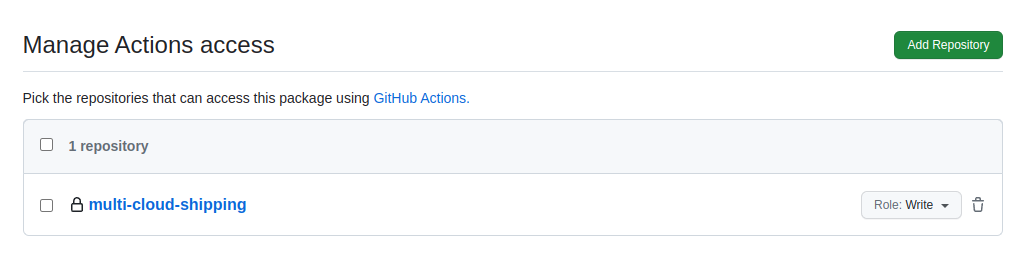
Steps
Create a GitHub personal access token with all permissions.
Got to https://github.com/settings/organizations
Then click Developer settings.
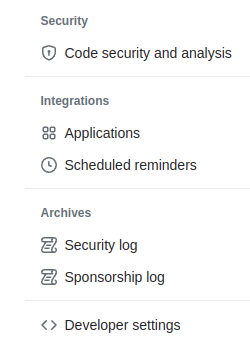
Click Tokens classic under Personal tokens.

Generate token

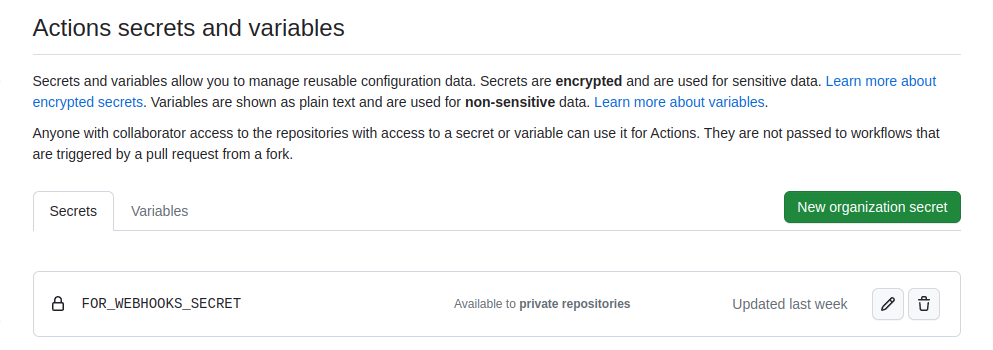
Create a secret called FOR_WEBHOOKS_SECRET
Got to below URL
https://github.com/organizations/YOUR_ORGANIZATION/settings/profile
Select Secrets and variables under Security section and then Actions.
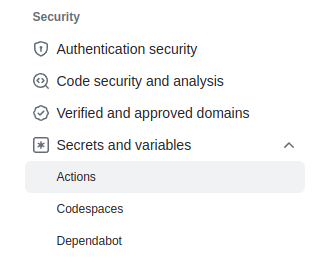
Finally create a new organization secret with the value of a personal access token.
Install ArgoCD in the AKS cluster.
Please follow below Microsoft Azure blog post to install ArgoCD in the AKS cluster.
Getting started with GitOps, Argo, and Azure Kubernetes Service - Microsoft Community Hub
Access ArgoCD
Keep these two variables assigned value from kubernetes.
$ export ARGOCD_SERVER=`kubectl get svc argocd-server -n argocd -o json | jq --raw-output '.status.loadBalancer.ingress[0].ip'`
$ export ARGO_PWD=`kubectl -n argocd get secret argocd-initial-admin-secret -o jsonpath="{.data.password}" | base64 -d`
Login to ArgoCD
$ argocd login $ARGOCD_SERVER --username admin --password $ARGO_PWD --insecure
'admin:login' logged in successfully
Create ArgoCD application
Adding Kubernetes context
$ CONTEXT_NAME=`kubectl config view -o jsonpath='{.current-context}'`
$ argocd cluster add $CONTEXT_NAME
WARNING: This will create a service account `argocd-manager` on the cluster referenced by context `aks-cluster-name-xx` with full cluster level privileges. Do you want to continue [y/N]?
WARNING: This will create a service account `argocd-manager` on the cluster referenced by context `aks-cluster-name-xx` with full cluster level privileges. Do you want to continue [y/N]? y
INFO[0011] ServiceAccount "argocd-manager" created in namespace "kube-system"
INFO[0011] ClusterRole "argocd-manager-role" created
INFO[0012] ClusterRoleBinding "argocd-manager-role-binding" created
INFO[0017] Created bearer token secret for ServiceAccount "argocd-manager"
Cluster 'https://aks-cluster-host:443' added
Adding GitHub Repository to ArgoCD
argocd repo add https://github.com/dhanuka-cicd-training/multi-cloud-shipping-deployment --username dhanuka84 --password xxx-TOKEN-VALUE
Create ArgoCD application with GitHub Repository
argocd app create sock-shop-app --repo https://github.com/dhanuka-cicd-training/multi-cloud-shipping-deployment --path kustomize/dev --dest-server https://aks-cluster-host:443 --dest-namespace mc-sock-shop
Login to GitHub Container Registry with GitHub Token
$ echo $CR_PAT | docker login ghcr.io -u dhanuka84 --password-stdin
> Login Succeeded
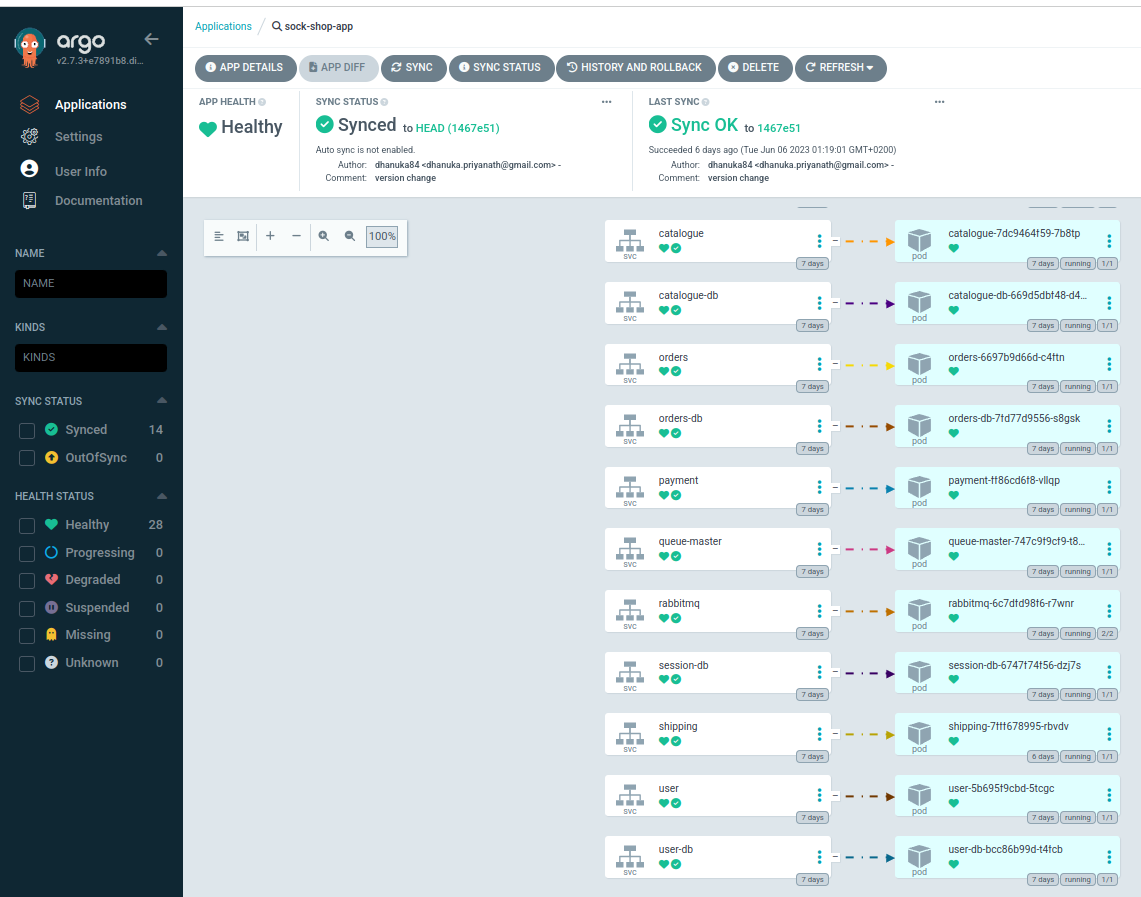
Now login into the ArgoCD UI with your selected method ( from previous installation steps ) and go to Applications.
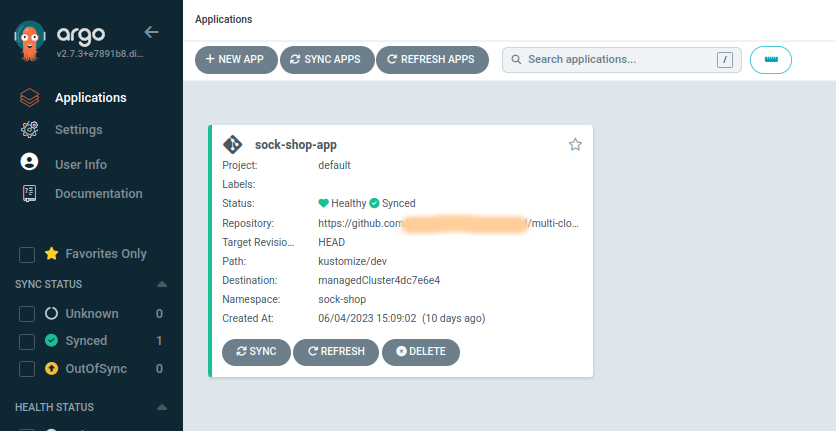
And if you go inside the application you will see the sock-shop application below without Shipping microservice.
Running the CI Pipeline
Clone the https://github.com/dhanuka-cicd-training/multi-cloud-shipping repository and create a new branch called dev.
Then do some edits (README file), and commit changes to the dev branch.
Finally Create a pull request to the main branch in the remote repository.


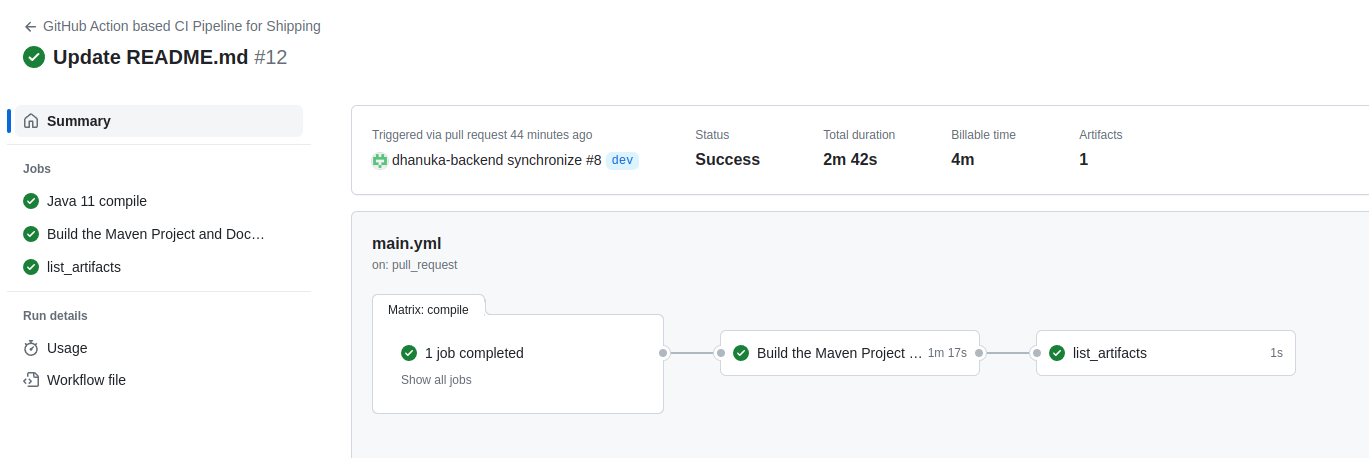
You can see that, when we create a pull request, CI pipeline starts.
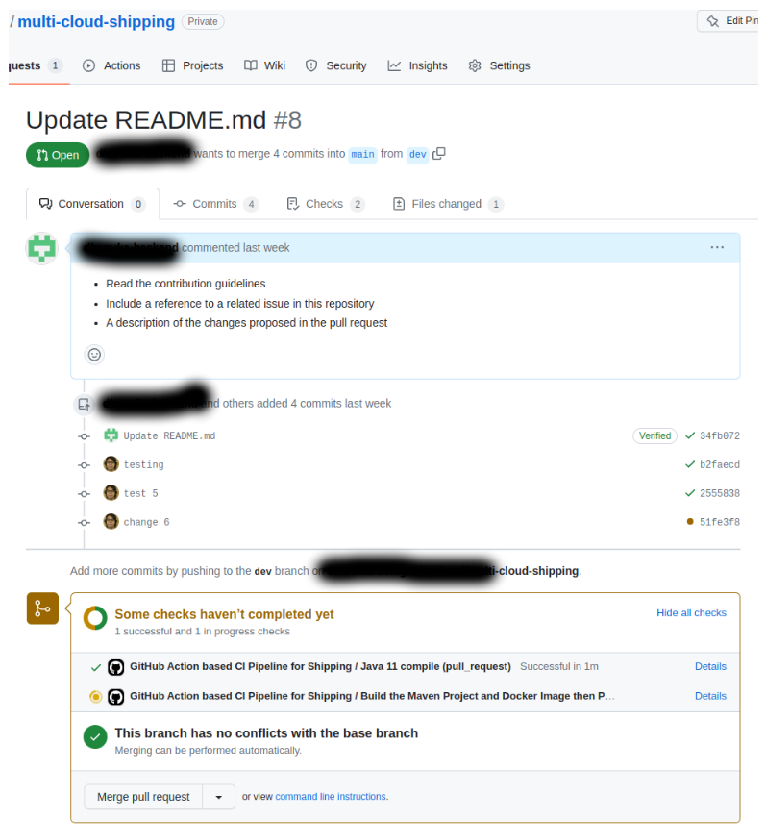
Click details for more information and it will direct you to the CI pipeline.

7. Container Image Registry and Release Management
Now if you go to the packages under your organization, you can see the docker image uploaded by CI pipeline.

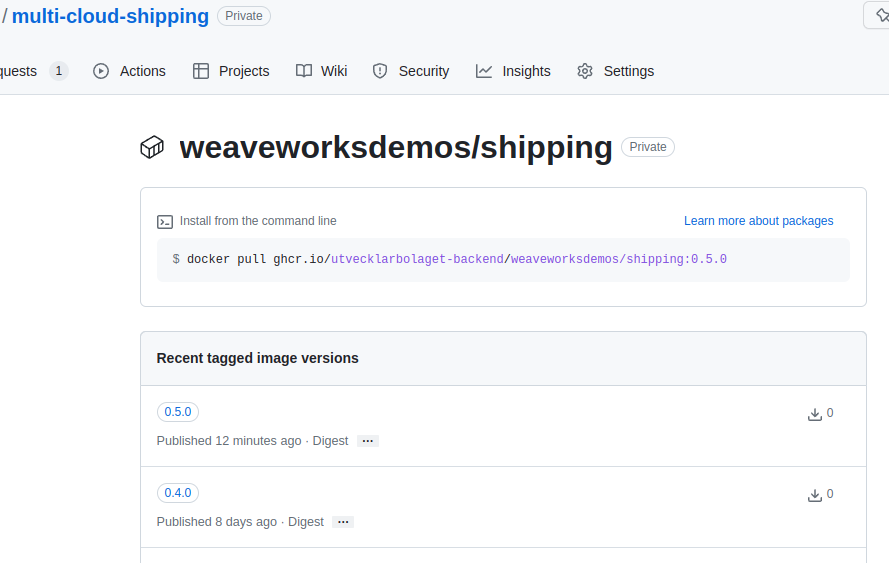
As you can see, the latest docker image version in my case is 0.5.0.
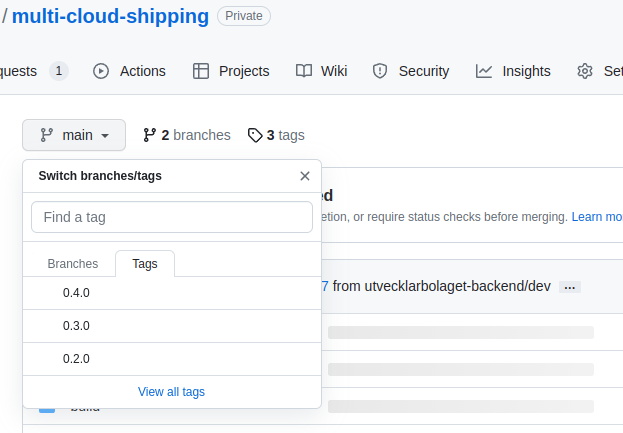
The reason for that is, I have created a tag/release named 0.4.0.
So what happened in the CI pipeline is, the docker image version will be incremented based on the tag version. Please refer to the image below for the tag version.
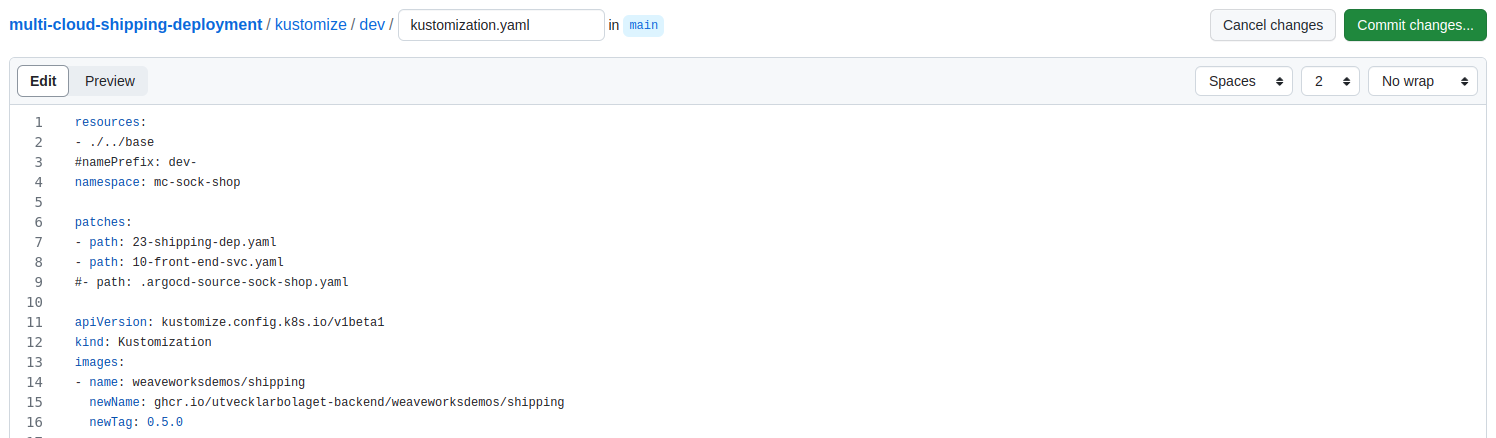
Now based on the docker image version we need to update that in deployment configuration as below.

Update to 0.5.0.
8. Deploying the latest version to Kubernetes.
Now if you go to ArgoCD UI, and click the refresh button you can see the deployment is out of synch.
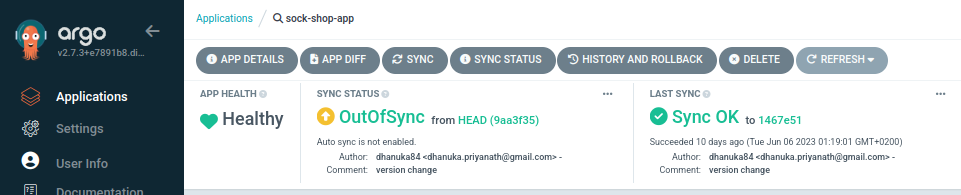
What we can do is, by clicking synch button we can deploy the latest shipping version 0.5.0 or else we can enable auto synch by clicking the App Details.
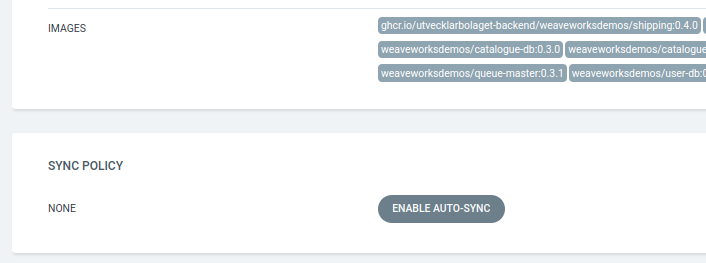
Also you can see there, the current shipping version is 0.4.0.
Let’s synch the changes.
You can see, latest shipping pod is deploying while the old one is terminating.
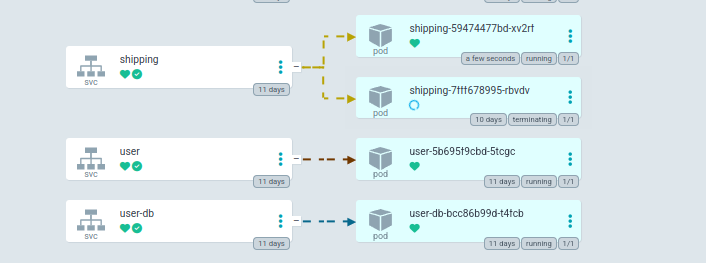

Now once you click the APP Details, you can see the latest image of shipping.

 |